If you have an NVIDIA GPU, you should set the shader cache to 10GB or more before playing Mad God’s Overhaul. (AMD GPUs do no currently have an equivalent setting.)
Without screenshots…
- Open the NVIDIA Control Panel
- Choose Manage 3D settings on the left.
- Under Global Settings on the right, set Shader Cache Size to 10 GB or more.
With screenshots…
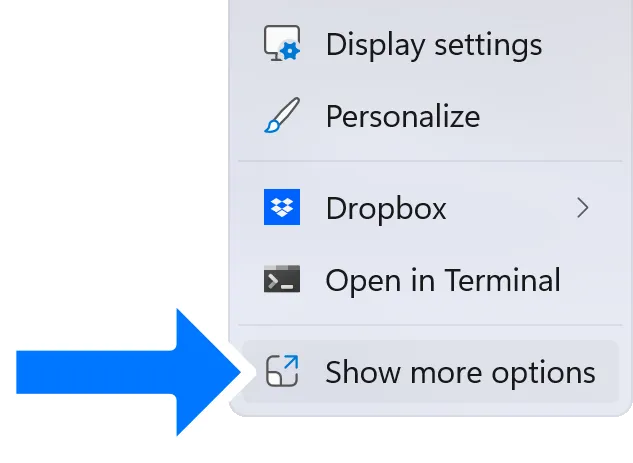
Right-click the desktop and choose
Show more options from the context menu.
Show more options from the context menu.
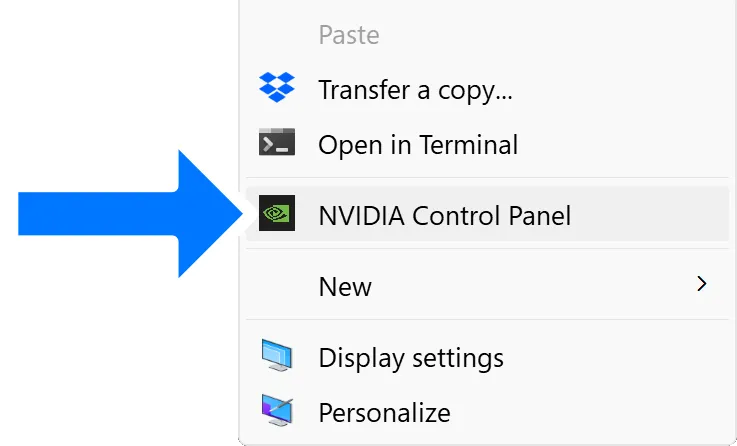
Choose NVIDIA Control Panel from the next context menu.
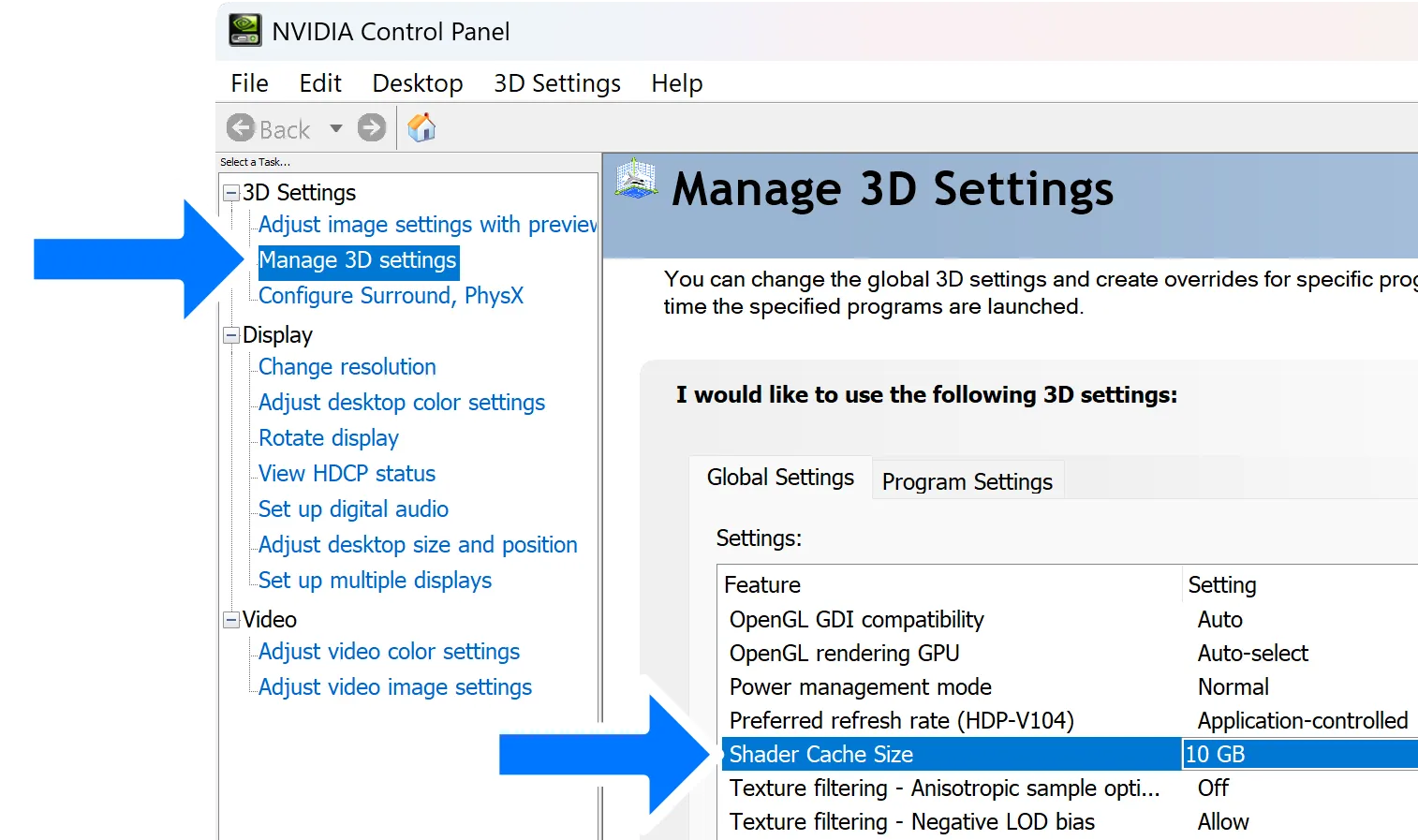
Choose Manage 3D settings on the left.
Under Global Settings on the right, set Shader Cache Size to 10 GB or more.