If you have a headset that doesn’t use base stations, then Steam VR has to translate the game’s instructions as it runs in order for your headset to work. You probably want to use Open Composite. Both variants of Open Composite bypass Steam VR, which should provide a performance benefit.
OC Unleashed is enabled by default, and it adds a number of features beyond simply bypassing Steam VR’s overhead.
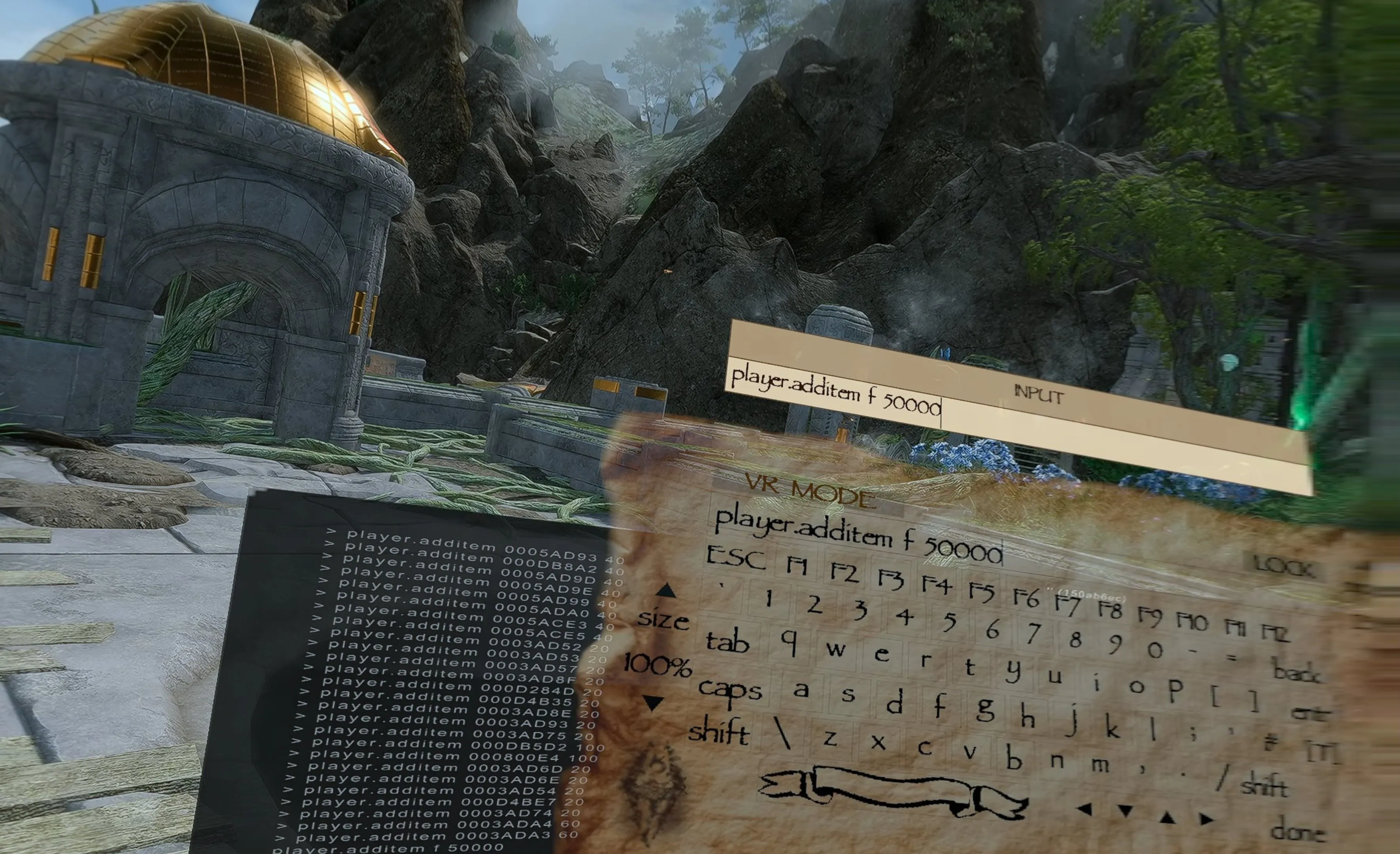
An in-game, onscreen keyboard. This is OC Unleashed’s signature feature and is what motivated Wondernutts to start the project. Steam VR has its own keyboard, but Open Composite doesn’t, and even hardware keyboards don’t work in-game. So to name your character and the items that you forge/enchant/brew, you’ll need Open Composite Unleashed. It also saves you from needing to switch to the desktop view to use the console.
The keyboard will open automatically when it’s time to name your character or an item. You can open it manually using an assigning button or button combo, configured in the OC Unleashed desktop app. By default, it’s set to Double-Click Left Stick . You can close the keyboard by squeezing Grip on either controller.
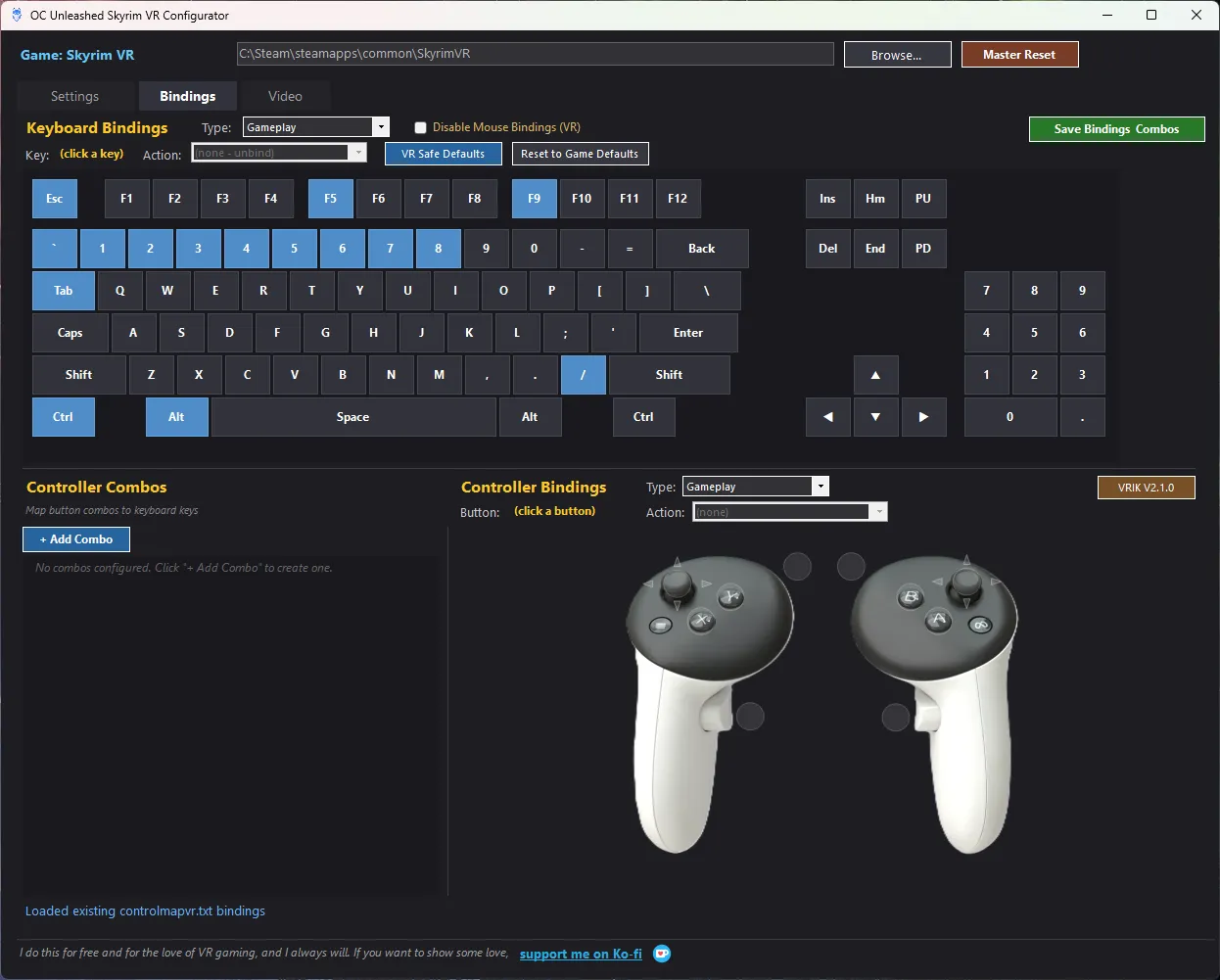
A UI for customizing VR controls. You can’t change VR controls from within Skyrim VR. In fact, Skyrim VR doesn’t give you any way to customize its controls, aside from editing an esoteric text file. There are a few community-made solutions, and one of the best is built into the OCU desktop app (included with the mod).
A word of warning
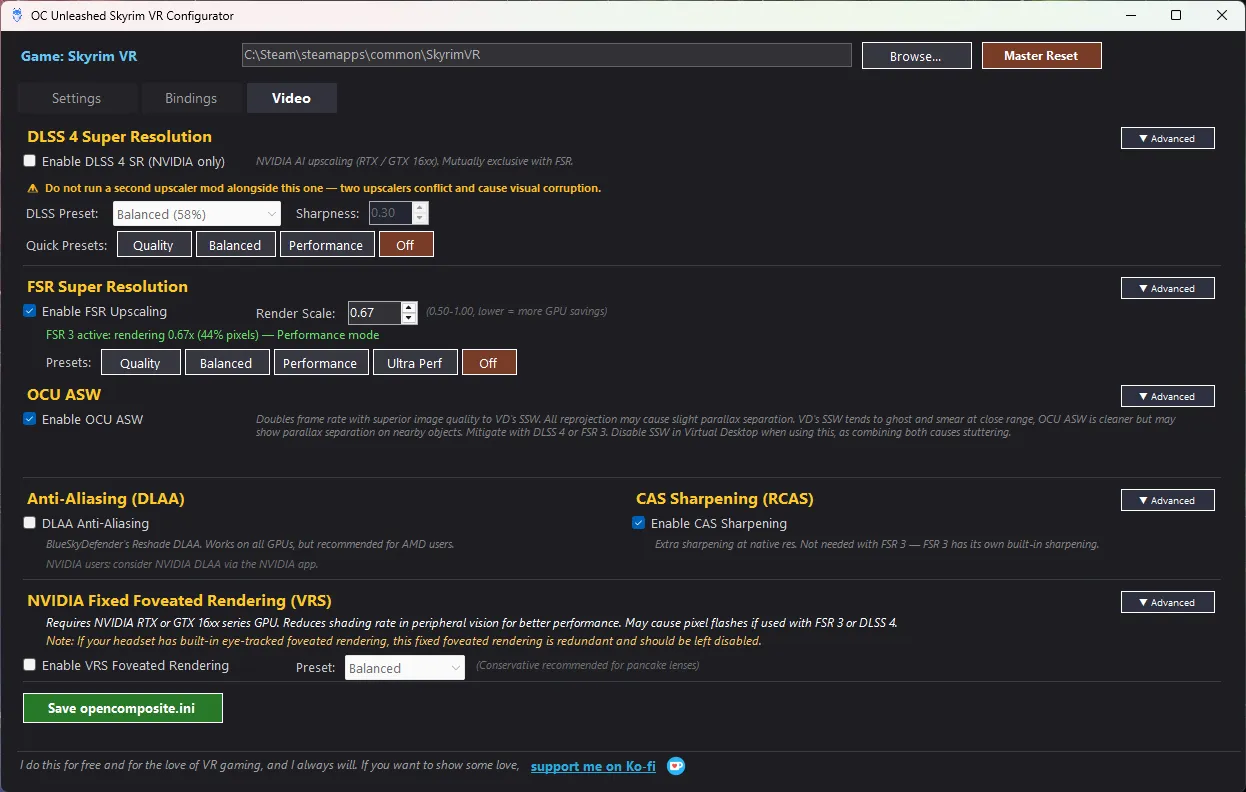
Advanced performance options. The OCU desktop app has support for several performance-tuning options built in for both NVIDIA and AMD users. You can use the app to enable upscaling via FSR3 (AMD FidelityFX Super Resolution) or DLSS (NVIDIA only). It also includes ASW (Asynchronous SpaceWarp) for frame-rate smoothing, and Fixed Foveated Rendering (NVIDIA only).